AZ
Ten years of iOS privacy protection plugins
AZ TUTORIALS · Sileo

Sileo · Install a package

Sileo installs through a queue: tap Get to add a package, then Confirm to install everything at once.

AZ tutorialsRead on siteUpdated 2026-11-01

Step by step

The illustrations below install AMG from the AZ repo as an example. Other products work exactly the same way.
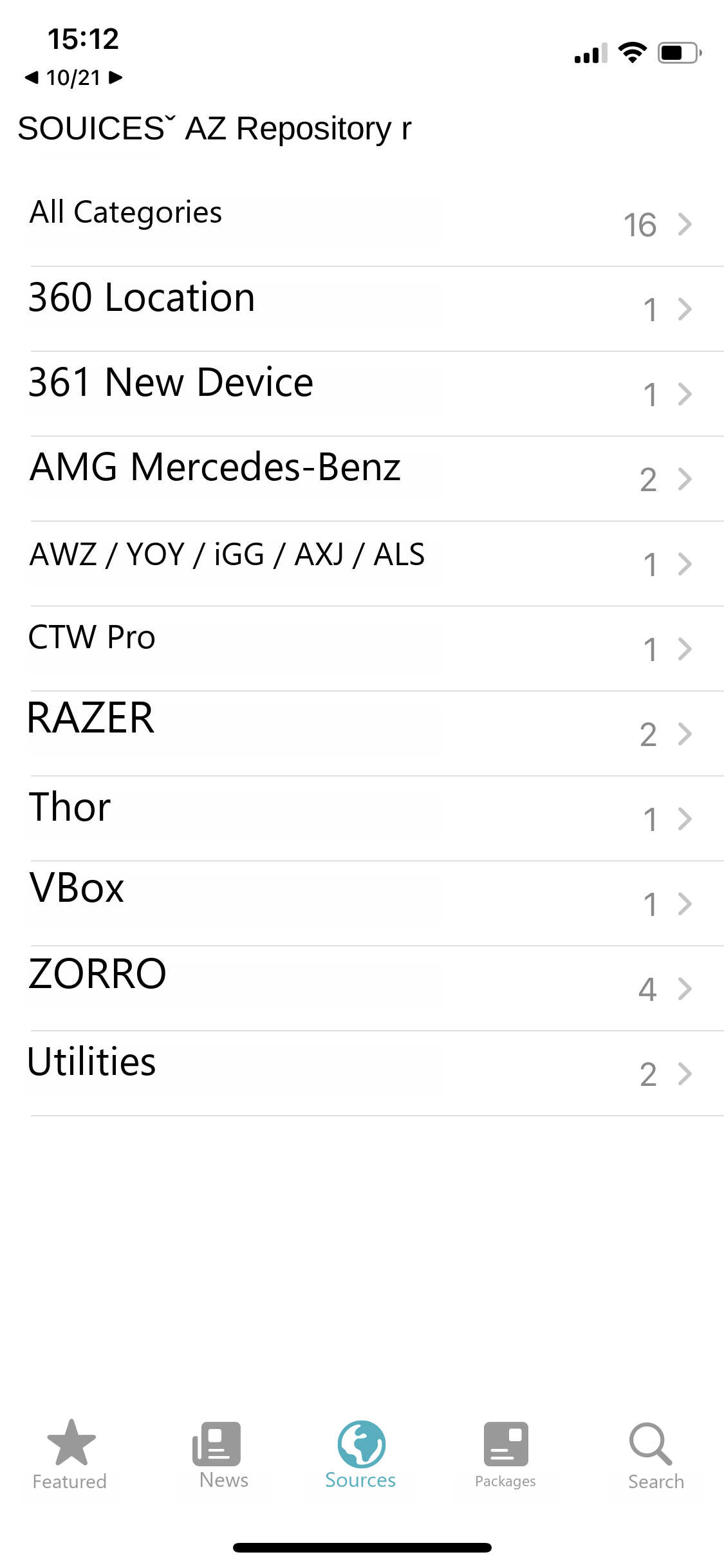
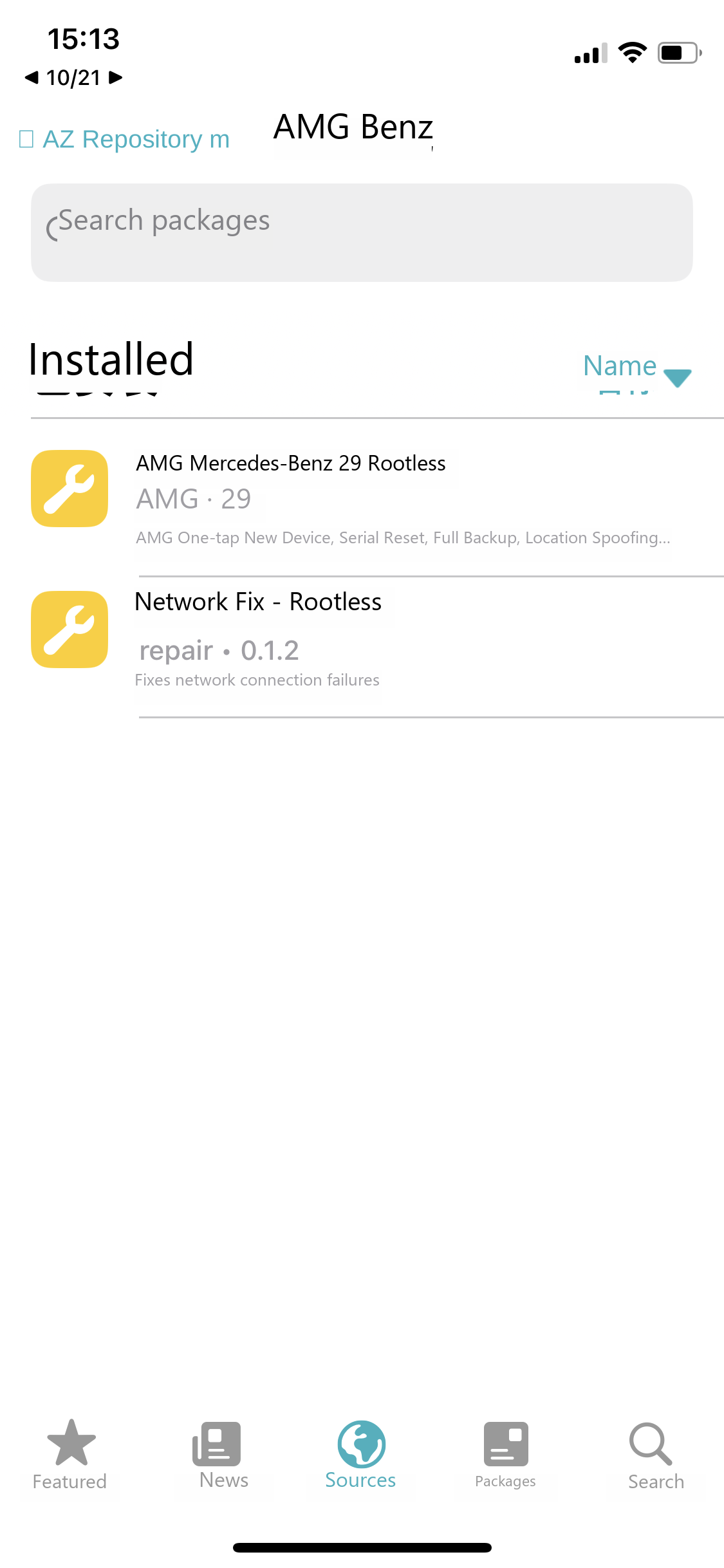
AZ Repository™ — English guide illustration
1Open AZ Sources™ and pick a category, for example AMG.
AMG packages — English guide illustration
2Pick the build that matches your jailbreak type. The example here is the AMG rootless build.
AMG · Rootless — English guide illustration
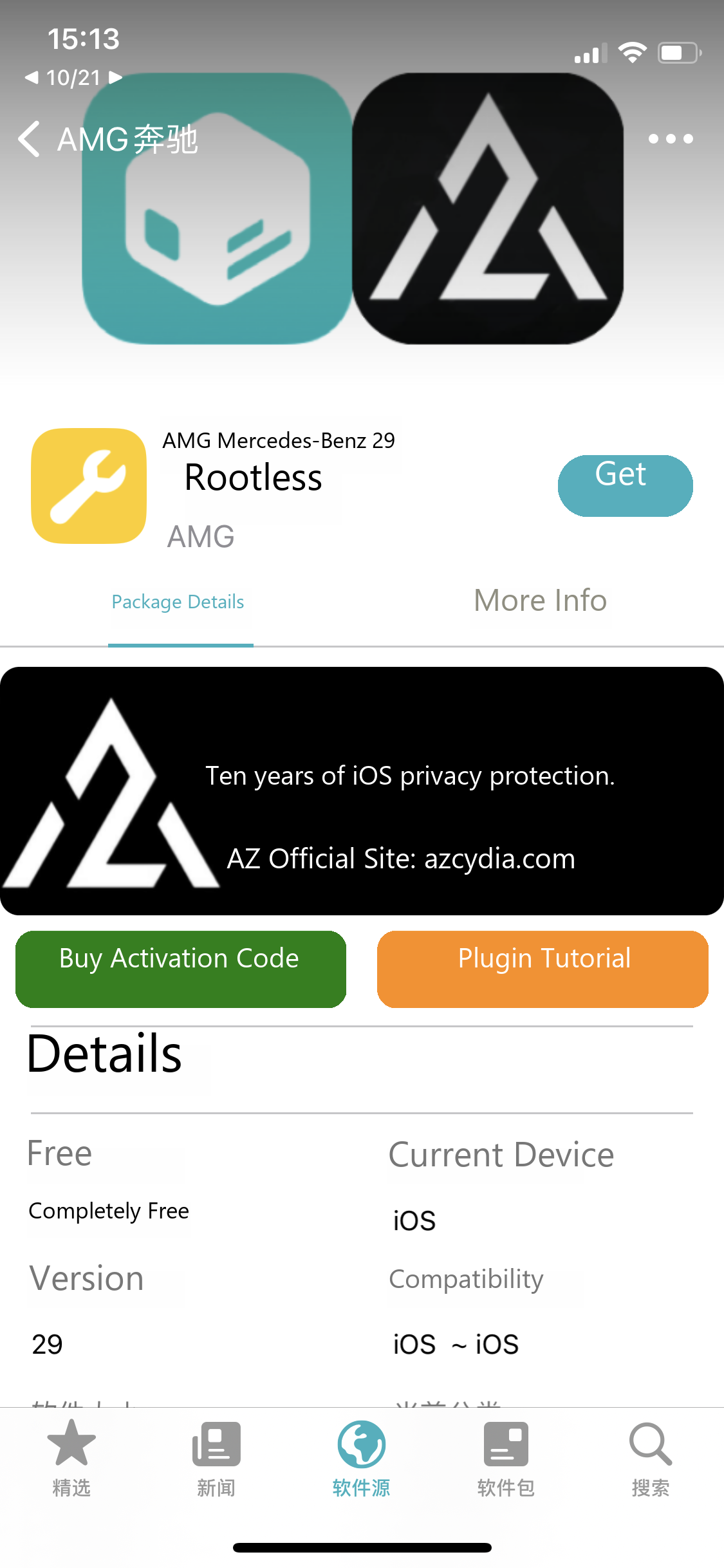
3On the details page, tap Get on the right.
AMG · Rootless — English guide illustration
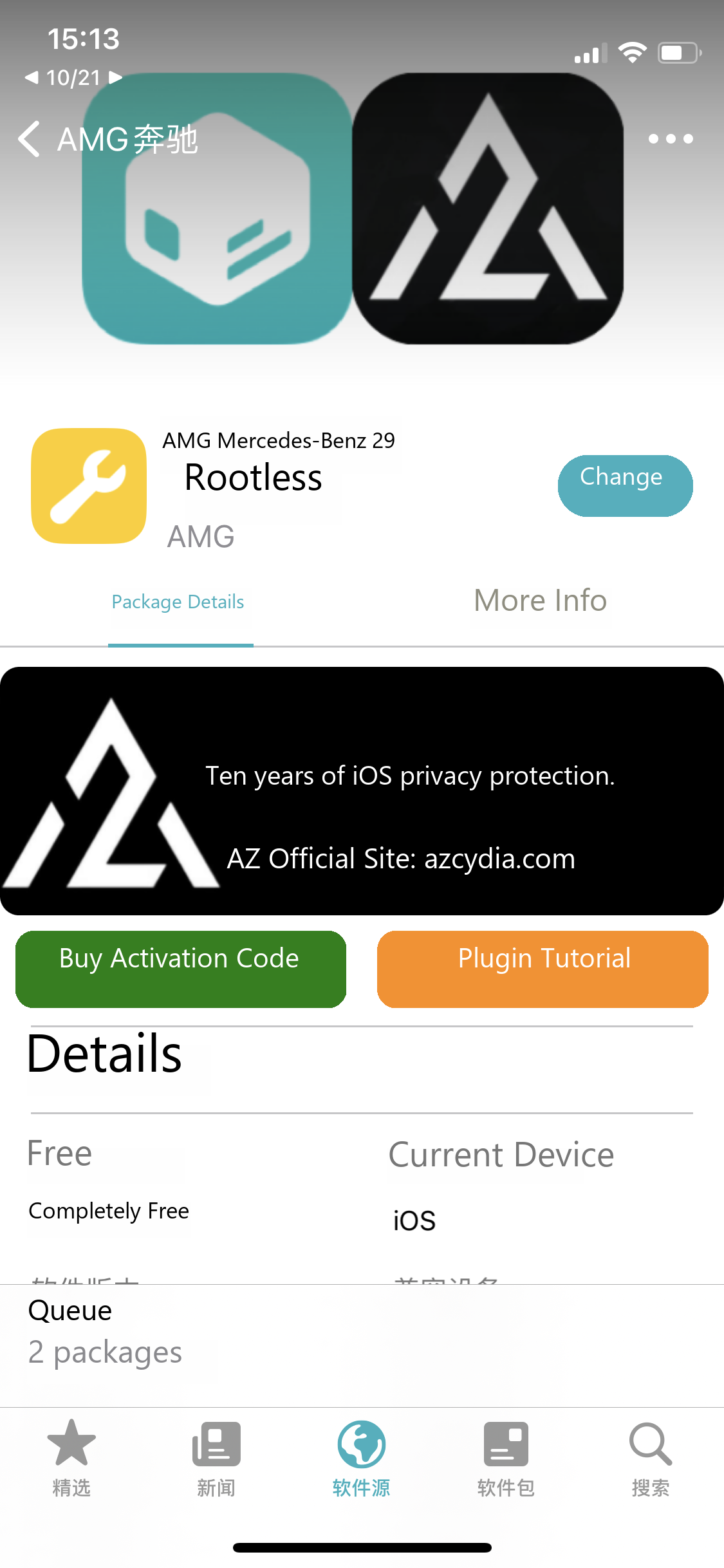
4The button changes to Queue. Tap it to open the install queue.
Install queue — English guide illustration
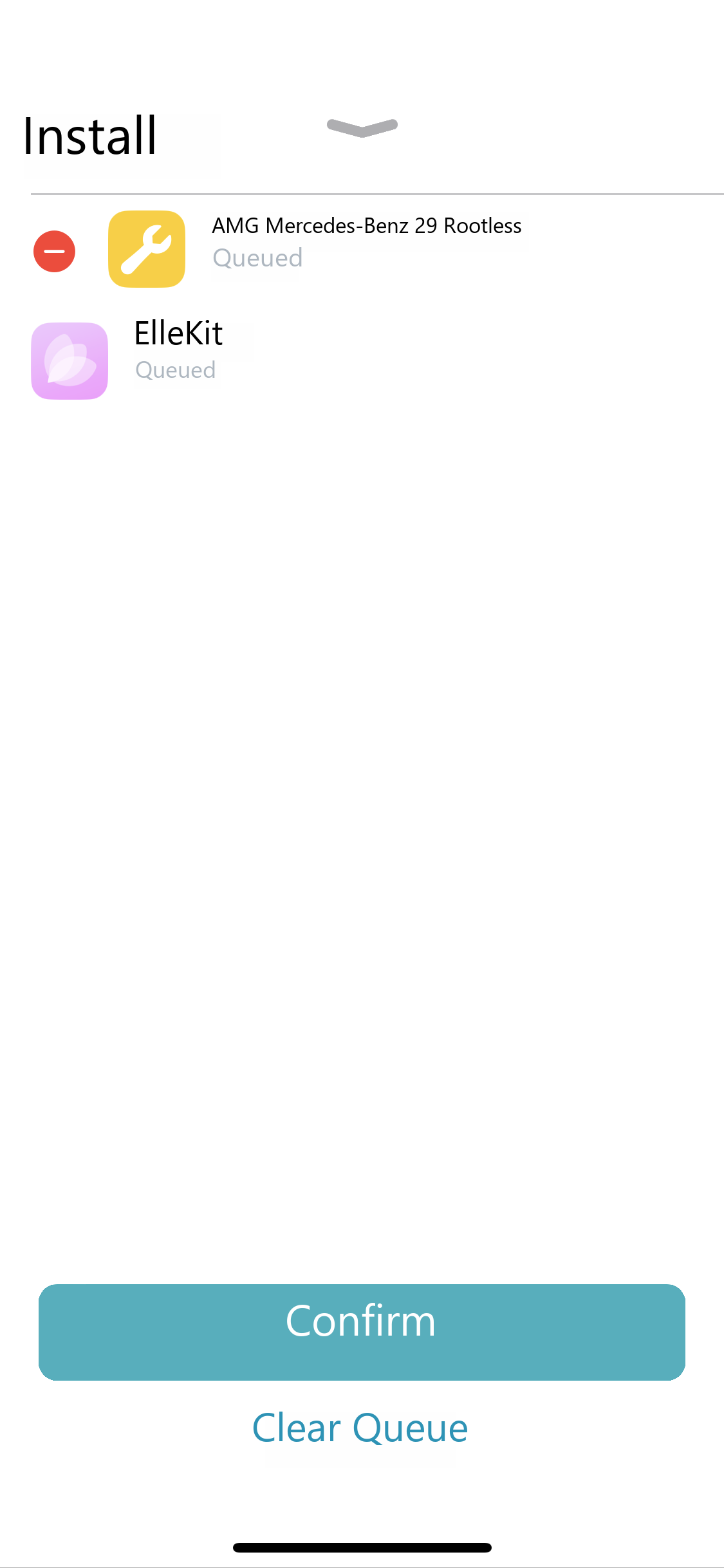
5Check the queue — here it contains the package plus its dependency ElleKit. When everything looks right, tap Confirm and wait for the download and install to finish.
Installation complete — English guide illustration
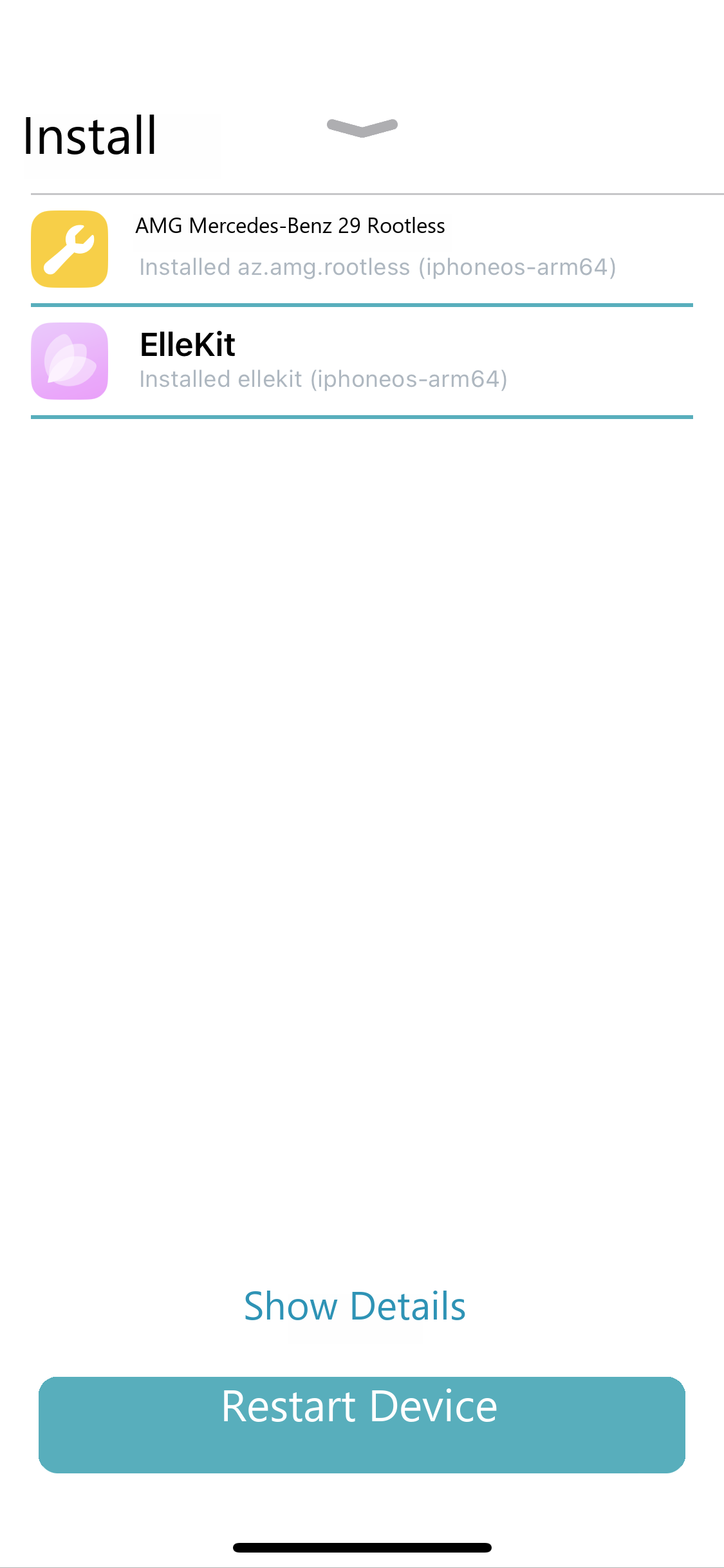
6When installation completes, follow the on-screen prompt and tap Restart Device. If your device actually shows Restart SpringBoard, use that button instead.

Tips

  1. The build must match your jailbreak. Rootful jailbreak takes the Rootful build, rootless takes Rootless, RootHide takes RootHide. The wrong build simply will not work.
  2. About the restart after installing. The screenshot shows "Restart Device" — follow whatever your device actually prompts, then check for the app icon.

Next: Uninstall a package · Troubleshooting

Note

The interface and supported systems may change with updates. Back up important data before cleaning, resetting or deleting anything.